
Purchasing a Number
Surge supports three number types. Local and toll-free numbers are available via API. Short codes require a support request.
Prerequisites
- Active account and API key: Both are required to call any phone number endpoint.
- Plan that allows the number count you want: Hobby is capped at 1, Starter at 25, Growth and Custom are unlimited.
- A campaign to attach to (eventually): Numbers can be purchased before a campaign is active, but they can't send production traffic until they're attached. See Attaching to a Campaign.
Number types
| Type | Purchase path | Use case |
|---|---|---|
| Local | API | Standard SMS/MMS, most campaigns |
| Toll-free | API | High-volume transactional, customer care |
| Short code | Support | Very high-volume or marketing to large audiences |
The dashboard at hq.surge.app walks you through the same purchase via UI, useful for one-off numbers or for confirming pricing and approval timelines:
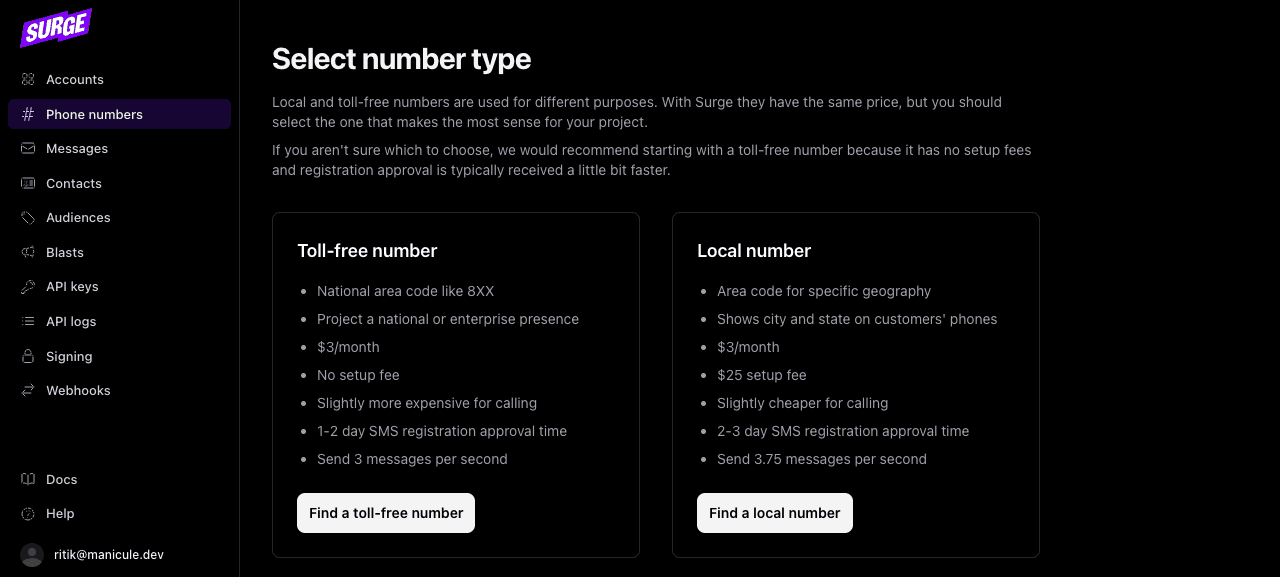
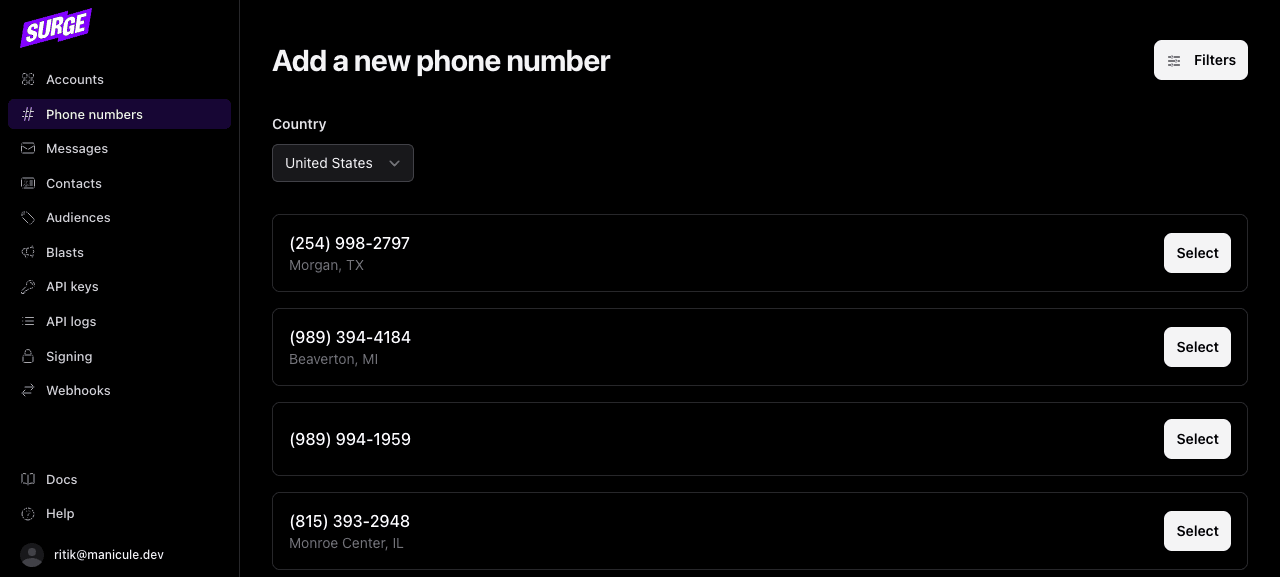
After choosing the type, the dashboard shows currently-available numbers with city/state for local numbers:
Purchase a local number
Pass type: "local" and an area_code to find an available number in that area:
from surge import Surge

surge = Surge()

number = surge.phone_numbers.purchase(
    account_id="{account_id}",
    type="local",
    area_code="801",
)
import Surge from "@surgeapi/node";
const surge = new Surge();
const number = await surge.phoneNumbers.purchase("{account_id}", {
type: "local",
area_code: "801",
});require "surge_api"
surge = SurgeAPI::Client.new
number = surge.phone_numbers.purchase(
"{account_id}",
type: "local",
area_code: "801"
)client = Surge.Client.new(System.get_env("SURGE_API_KEY"))
{:ok, number} =
Surge.PhoneNumbers.purchase(client, "{account_id}", %{
type: "local",
area_code: "801"
})curl -X POST https://api.surge.app/accounts/{account_id}/phone_numbers \
-H "Authorization: Bearer YOUR_API_KEY" \
-H "Content-Type: application/json" \
-d '{
"type": "local",
"area_code": "801"
}'{
"id": "pn_01jrzhe8d9enptypyx360pcmxm",
"number": "+18015559876",
"type": "local",
"campaign_id": null
}If no numbers are available for the area code you specified, the API returns a no_matching_numbers error. Try a nearby area code or omit the area_code to get any available number.
If your account has reached its phone number limit, the API returns a phone_number_limit error. Limits by plan:
| Plan | Phone number limit |
|---|---|
| Hobby | 1 |
| Starter | 25 |
| Growth | Unlimited |
| Custom | Unlimited |
Contact support to upgrade your plan if you need more numbers.
Purchase a toll-free number
number = surge.phone_numbers.purchase(
    account_id="{account_id}",
    type="toll_free",
)
const number = await surge.phoneNumbers.purchase("{account_id}", {
type: "toll_free",
});number = surge.phone_numbers.purchase(
"{account_id}",
type: "toll_free"
){:ok, number} =
Surge.PhoneNumbers.purchase(client, "{account_id}", %{type: "toll_free"})curl -X POST https://api.surge.app/accounts/{account_id}/phone_numbers \
-H "Authorization: Bearer YOUR_API_KEY" \
-H "Content-Type: application/json" \
-d '{
"type": "toll_free"
}'Toll-free numbers need to go through verification before they can send production traffic. See Toll-Free Verification.
List existing numbers
Retrieve all phone numbers on an account:
for number in surge.phone_numbers.list(account_id="{account_id}"):
    print(number.id, number.number)
for await (const number of await surge.phoneNumbers.list("{account_id}")) {
console.log(number.id, number.number);
}page = surge.phone_numbers.list("{account_id}")
page.data.each { |n| puts "#{n.id} #{n.number}" }# Surge.PhoneNumbers.list isn't typed in the Elixir SDK yet — use the raw client.
{:ok, page} =
Surge.Client.request(client, :get, "/accounts/{account_id}/phone_numbers")
Enum.each(page["data"], fn n -> IO.puts("#{n["id"]} #{n["number"]}") end)curl https://api.surge.app/accounts/{account_id}/phone_numbers \
-H "Authorization: Bearer YOUR_API_KEY"{
"data": [
{
"id": "pn_01jrzhe8d9enptypyx360pcmxm",
"number": "+18015559876",
"type": "local",
"campaign_id": "cpn_01jrzhe8d9enptypyx360pcmxl"
}
],
"pagination": {
"next_cursor": null,
"previous_cursor": null
}
}Attaching to a campaign
A freshly purchased number has campaign_id: null. Surge attaches phone numbers to campaigns automatically. You don't call a separate endpoint. Two things trigger attachment:
- Purchase while a campaign is active: Surge attaches the number immediately.
- Campaign becomes active after purchase: Surge attaches all existing unattached numbers on the account when the campaign is approved.
When attachment completes, Surge fires a phone_number.attached_to_campaign webhook event. Once you receive that event, the number can send production traffic. See Attaching to a Campaign.
Short codes
Short codes (5-6 digit numbers like 12345) are available to all customers via a support request. They support very high message volumes and are the standard for large-scale marketing programs. Contact Surge support to start a short code request.