
Conversation Component
The Conversation component shows a single message thread and a send field. Use it to embed a specific conversation in your application, useful when users navigate from your own inbox UI or when you want to open a specific thread.
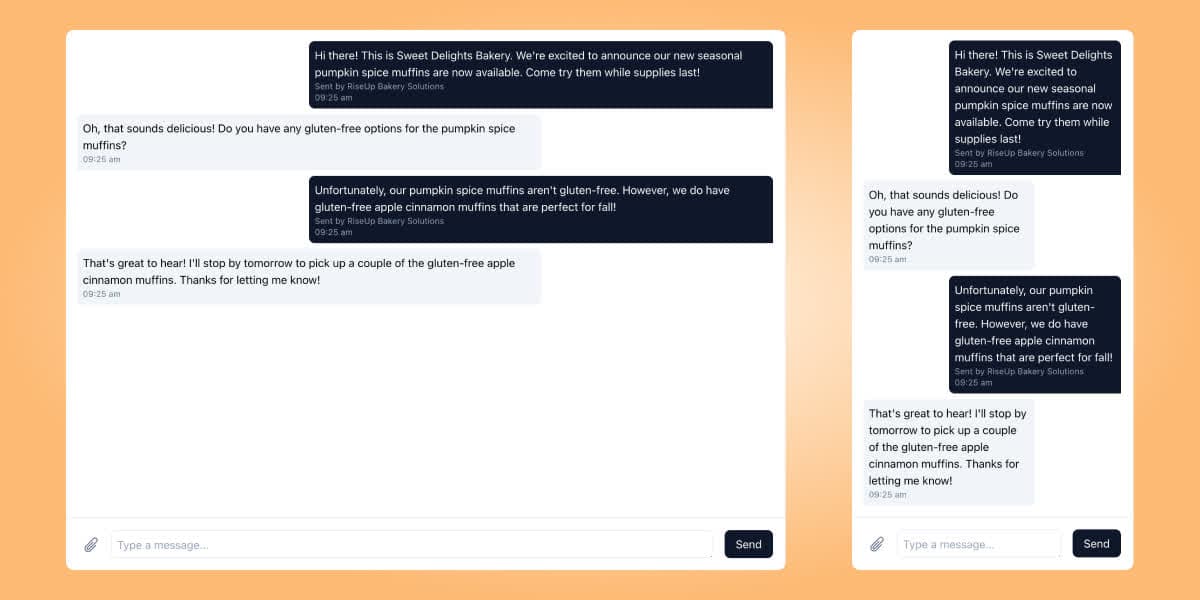
Mount the component
<script src="https://embed.surge.app/v1/embed.js"></script>
<div id="surge-conversation"></div>
<script>
  SurgeEmbed.mount("conversation", {
    target: document.getElementById("surge-conversation"),
    token: "YOUR_USER_JWT",
    conversationId: "cnv_01jrzhe8d9enptypyx360pcmxk",
  });
</script>
Options
| Option | Type | Required | Description |
|---|---|---|---|
target | HTMLElement | Yes | The DOM element to mount the component into |
token | string | Yes | A signed JWT for the current End User |
conversationId | string | No | The ID of the conversation to display; omit to start a new conversation |
onMessageSent | function | No | Callback when the user sends a message; receives the message object |
theme | object | No | Custom color and font overrides |
Opening a new conversation
Omit conversationId to show an empty thread where the user can compose a new message. The component creates the conversation when the first message is sent.
SurgeEmbed.mount("conversation", {
  target: document.getElementById("surge-conversation"),
  token: "YOUR_USER_JWT",
  // No conversationId, starts a new conversation
  onMessageSent: (message) => {
    console.log("New message sent:", message.id);
  },
});